Reset of a forgotten AMU network password
Login credentials
Students Teachers EmployeesInstructions for recovering a forgotten main password for the AMU network.
Instructions
To reset your forgotten AMU network password, you must have two different verification methods registered in Microsoft 365 (e.g., SMS and the Microsoft Authenticator app).
- Open https://aka.ms/sspr.
- Enter your school email address.
- Enter the characters shown in the picture or the words from the audio file, and click Next.
- Verify using your first verification method.
- Verify using your second verification method.
- Enter a new password (required password properties), confirm the new password, and click Finish.
Picture instructions
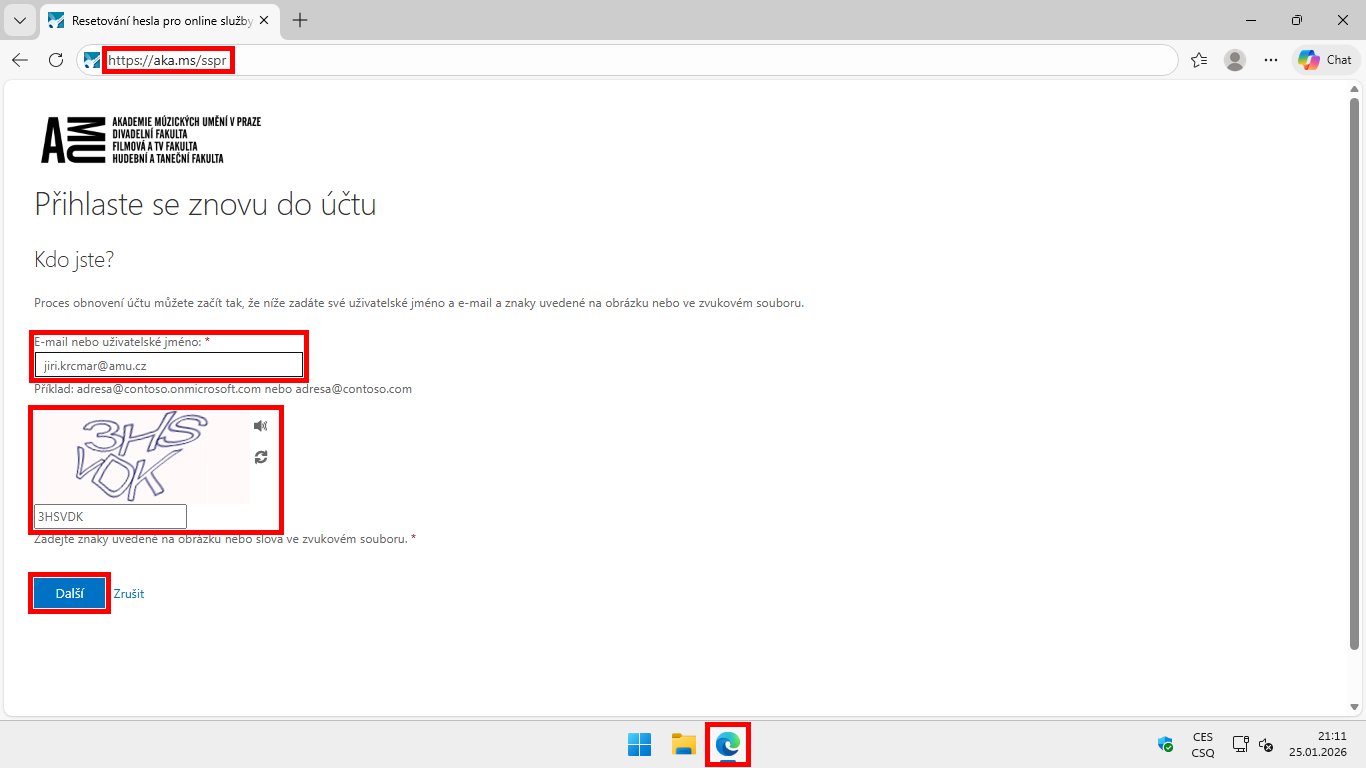
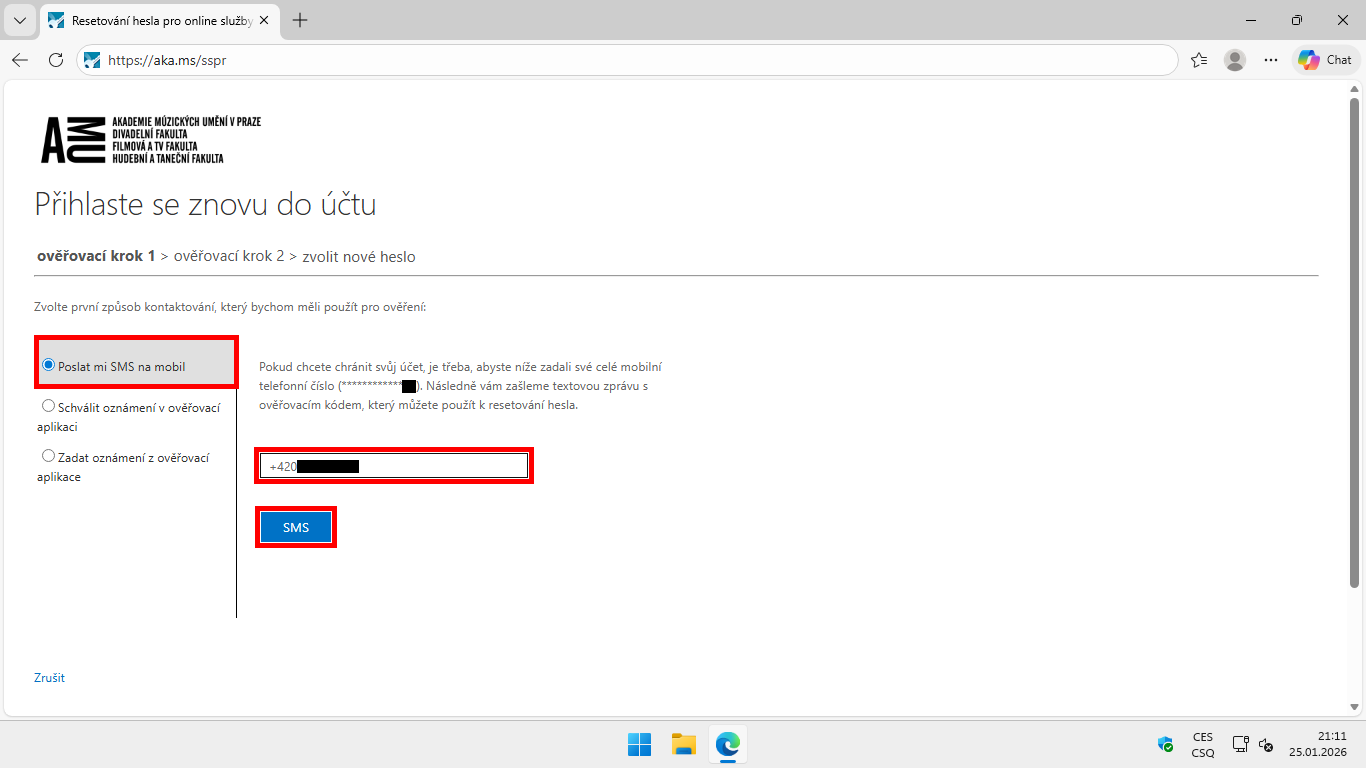
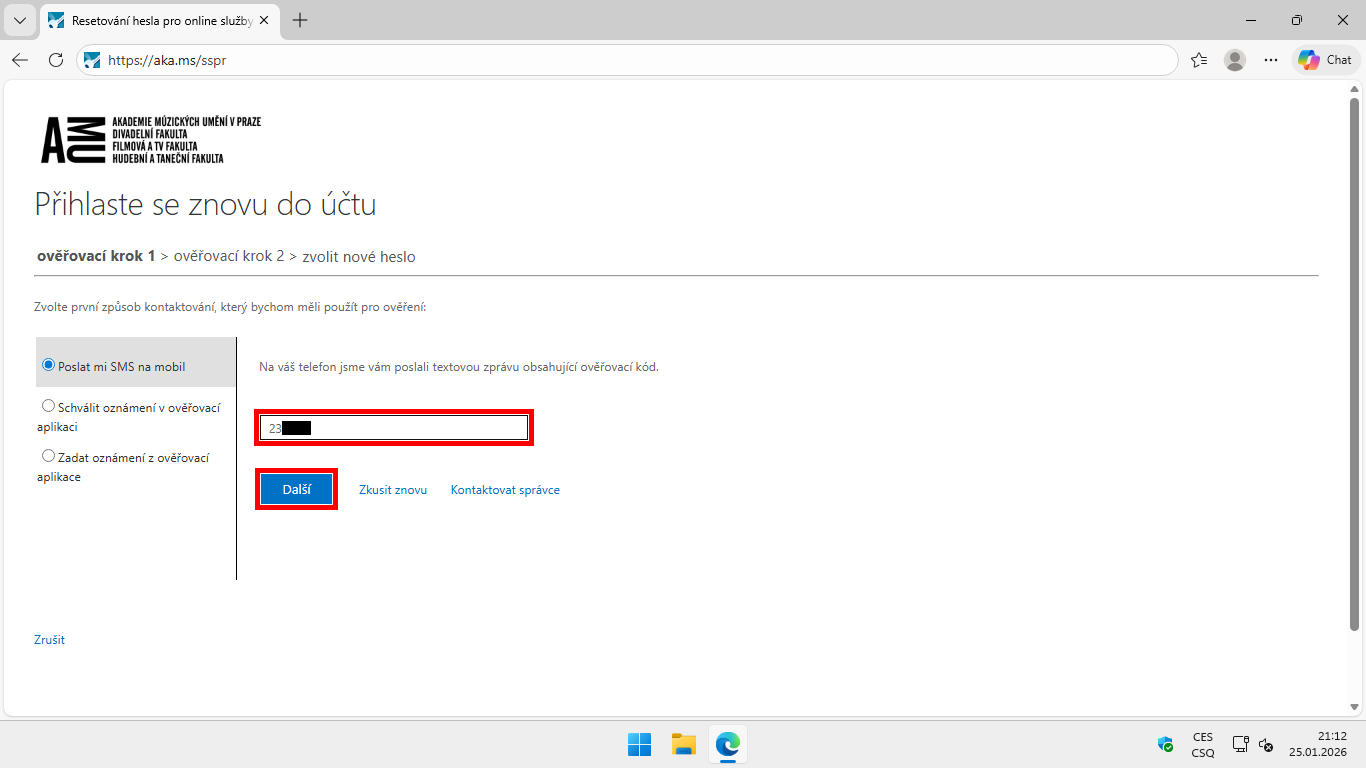
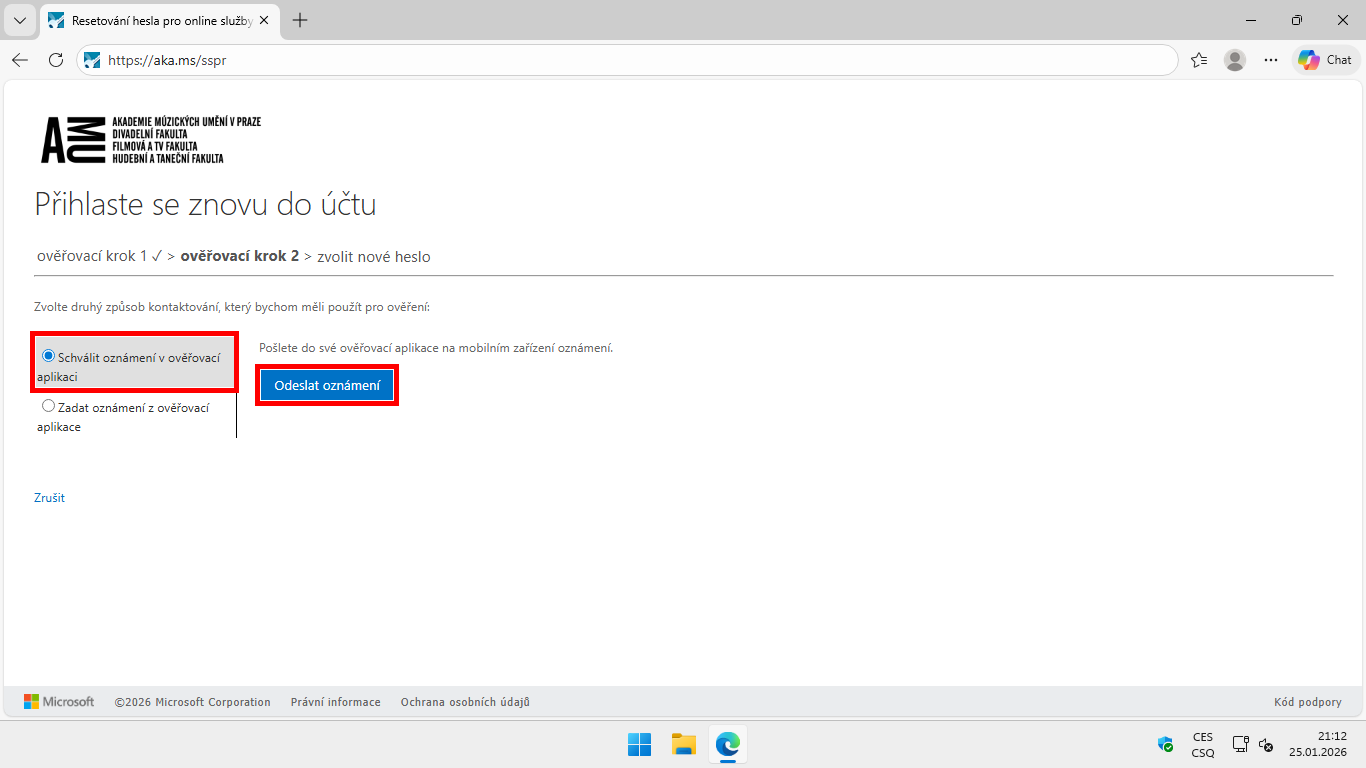
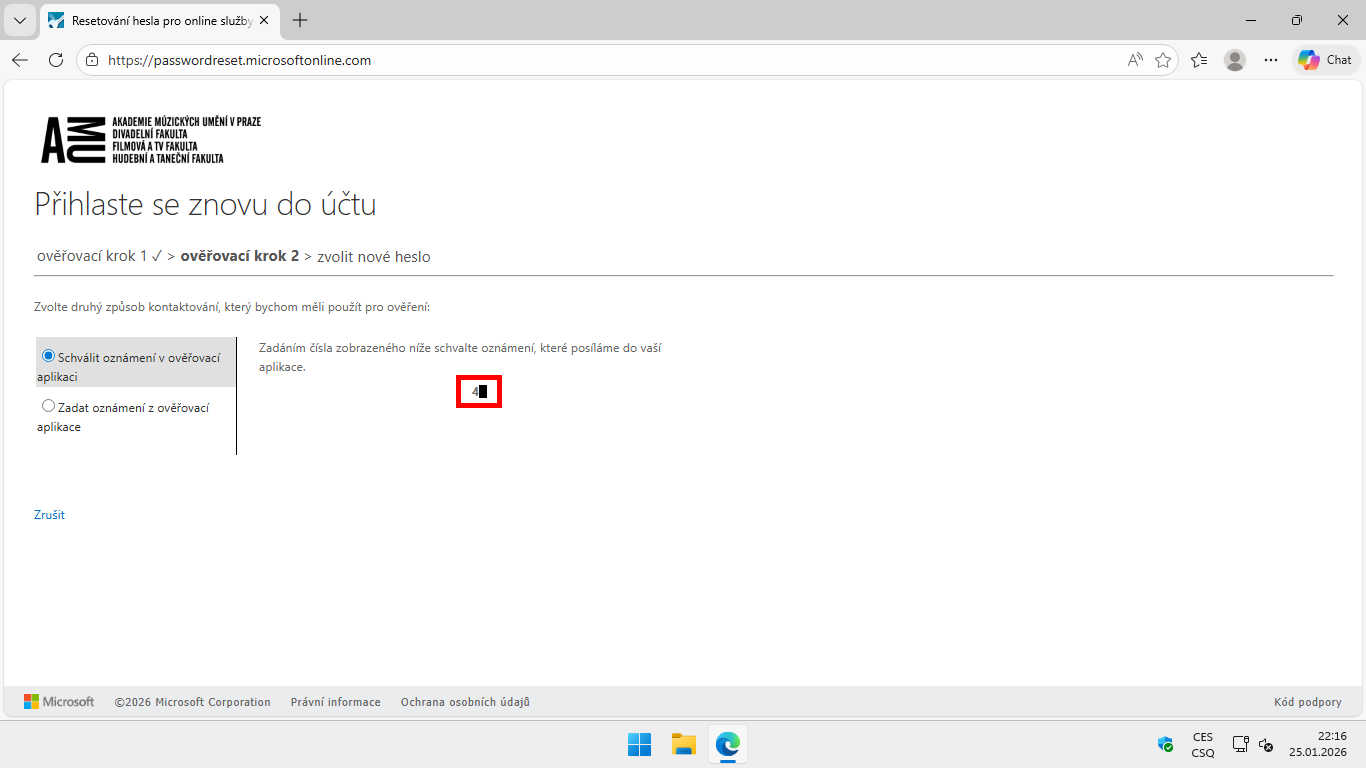
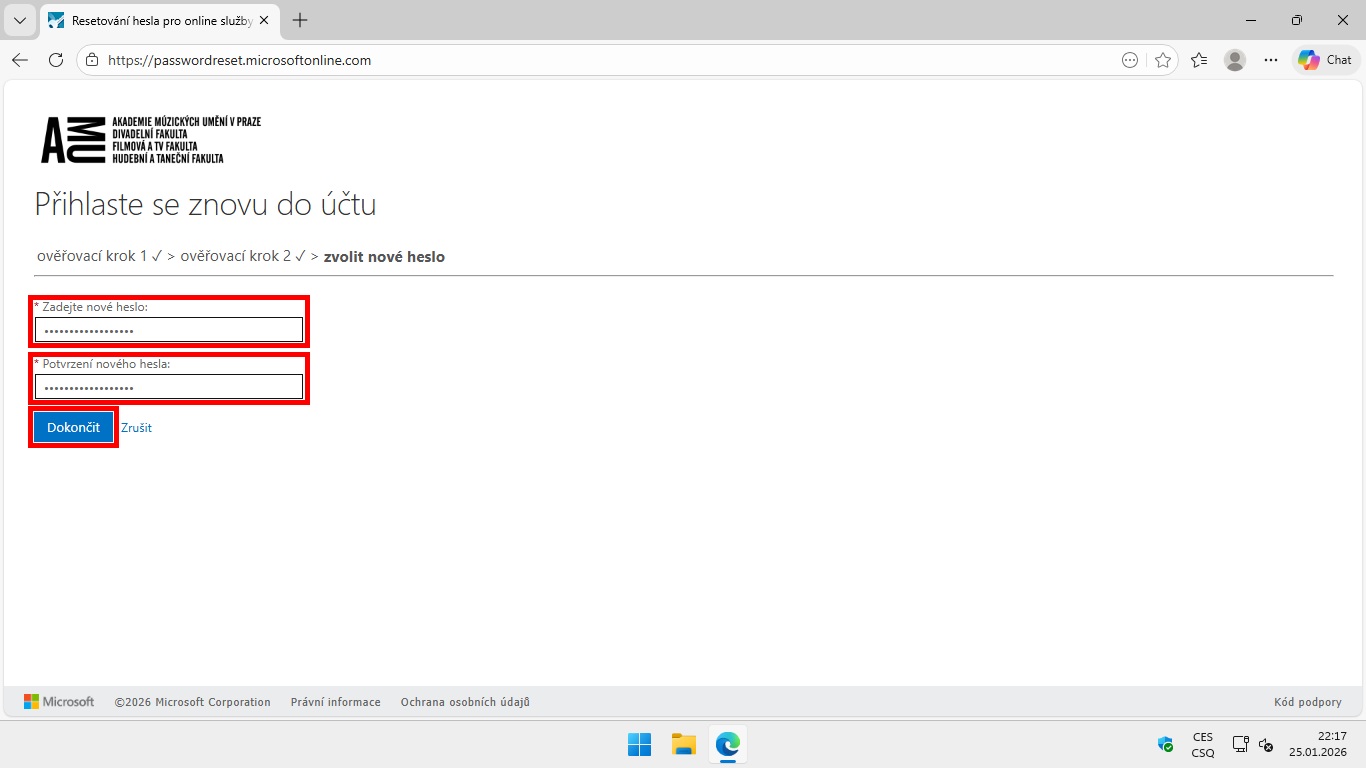
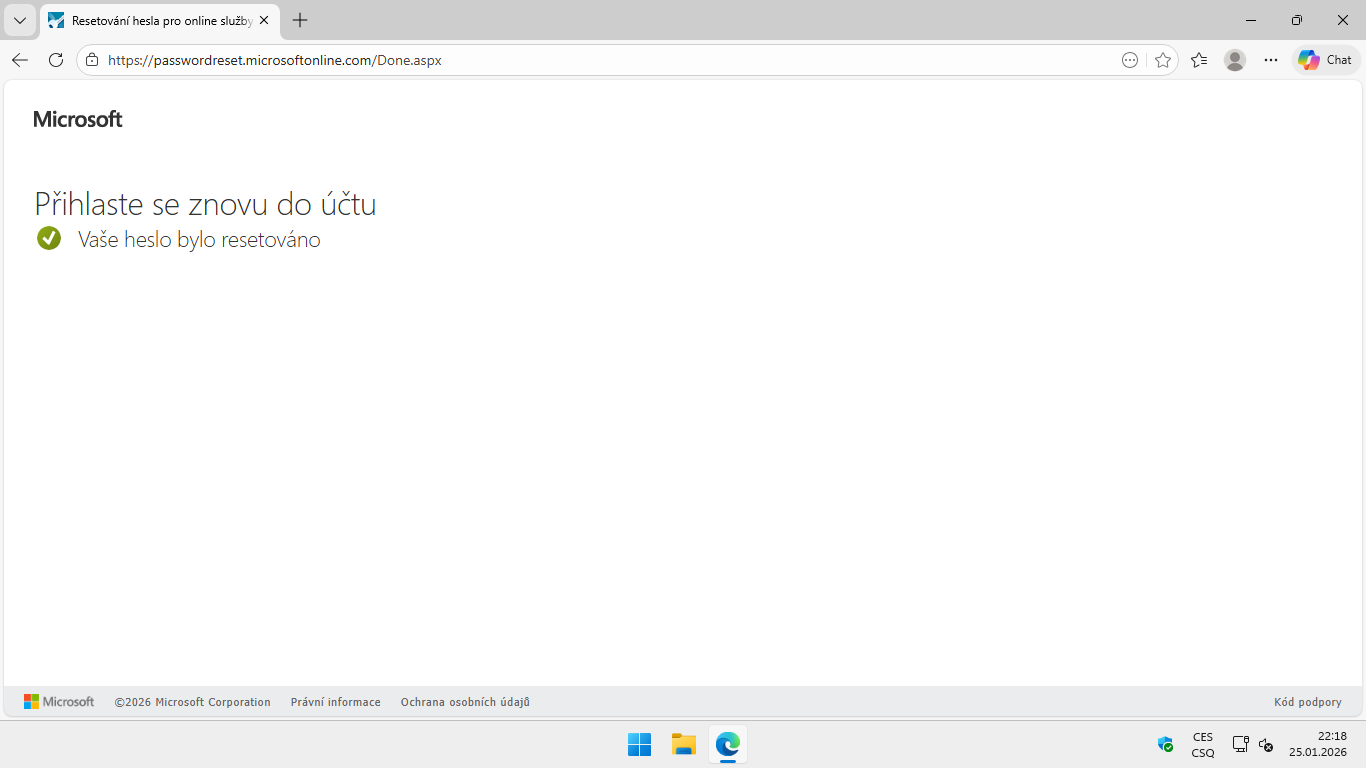
Required password characteristics
You can find useful information for creating a secure password on the page Cybersecurity course CRP-Kyber21 - Secure password.
- It must contain at least 12 characters.
- It must contain characters from at least three of the groups listed below:
- A. Uppercase letters
- B. Lowercase letters
- C. Numbers
- D. Special characters (e.g., -, +, *, %, etc.)
- It must not contain words or numbers directly related to the password holder (e.g., name, nickname, personal identification number).
- It is advisable to avoid using characters with diacritics and other characters that may not be available on all keyboards, or characters that appear in different positions on different keyboard layouts (e.g., z/y).
- It must not consist solely of a word that can be found in a dictionary.
- It must not contain repeated characters or sequences.
- The new password must not match any of the previous 12 passwords.
Author: Jiří Krčmář / 20.02.2026
Revision: Jiří Krčmář / 20.02.2026