Adding a second multi-factor authentication method
Login credentials
Students Teachers EmployeesInstructions for adding a second multi-factor authentication method to your AMU network credentials.
Instructions
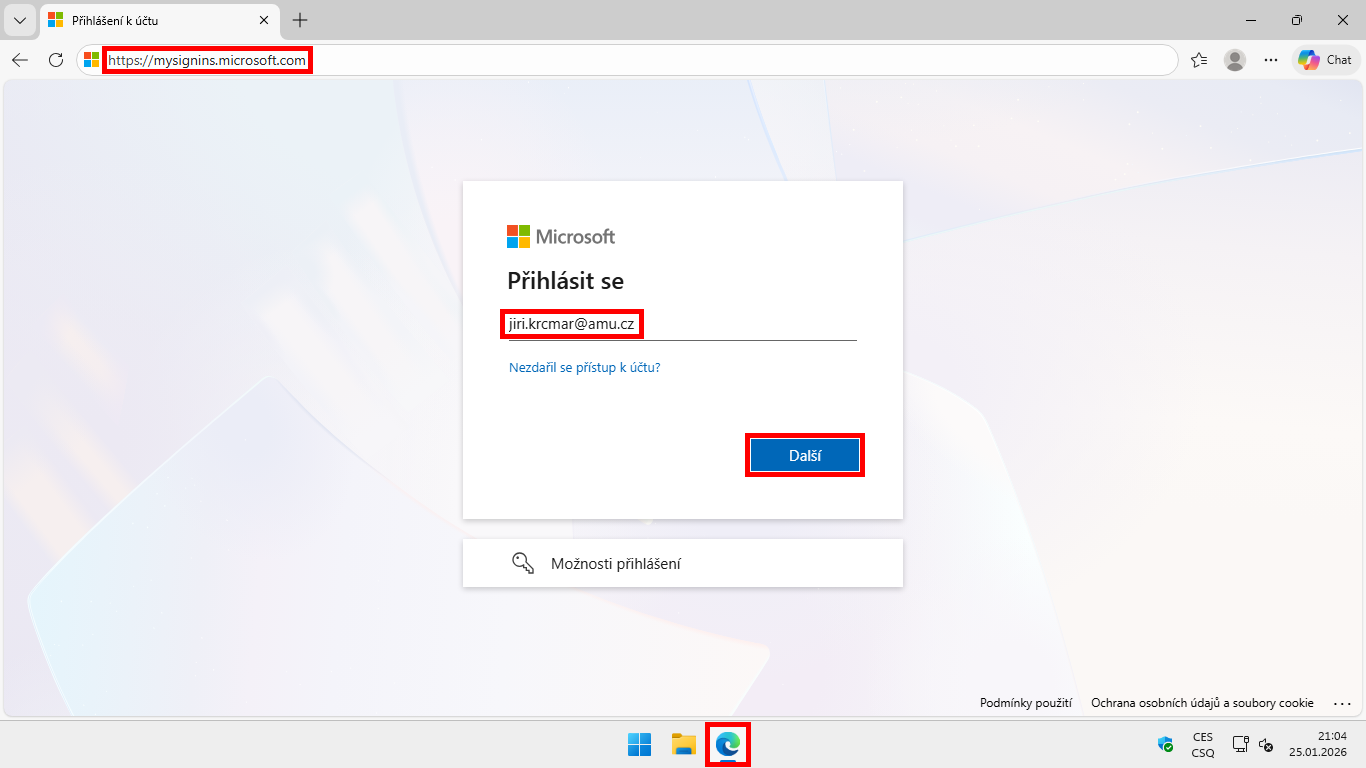
- Open the address https://mysignins.microsoft.com/.
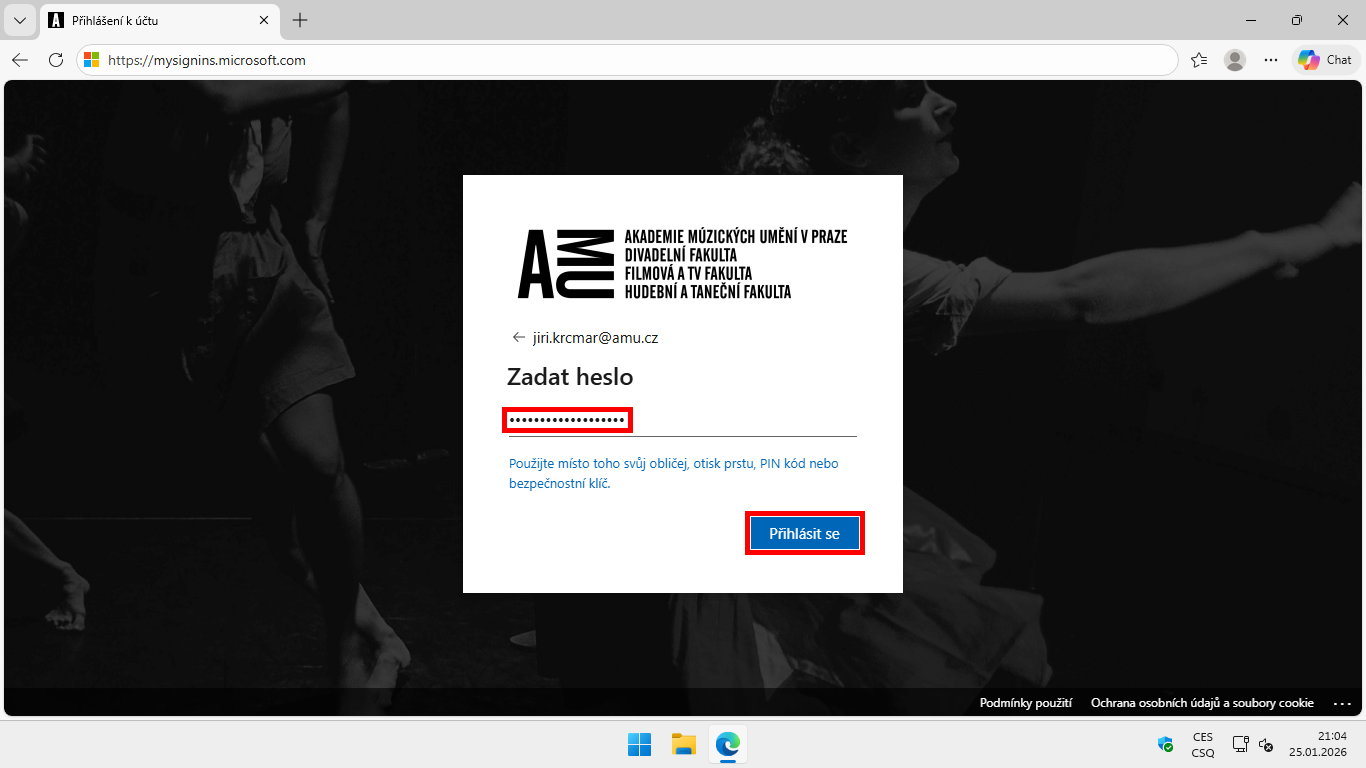
- Sign in using your school email address and your AMU network password.
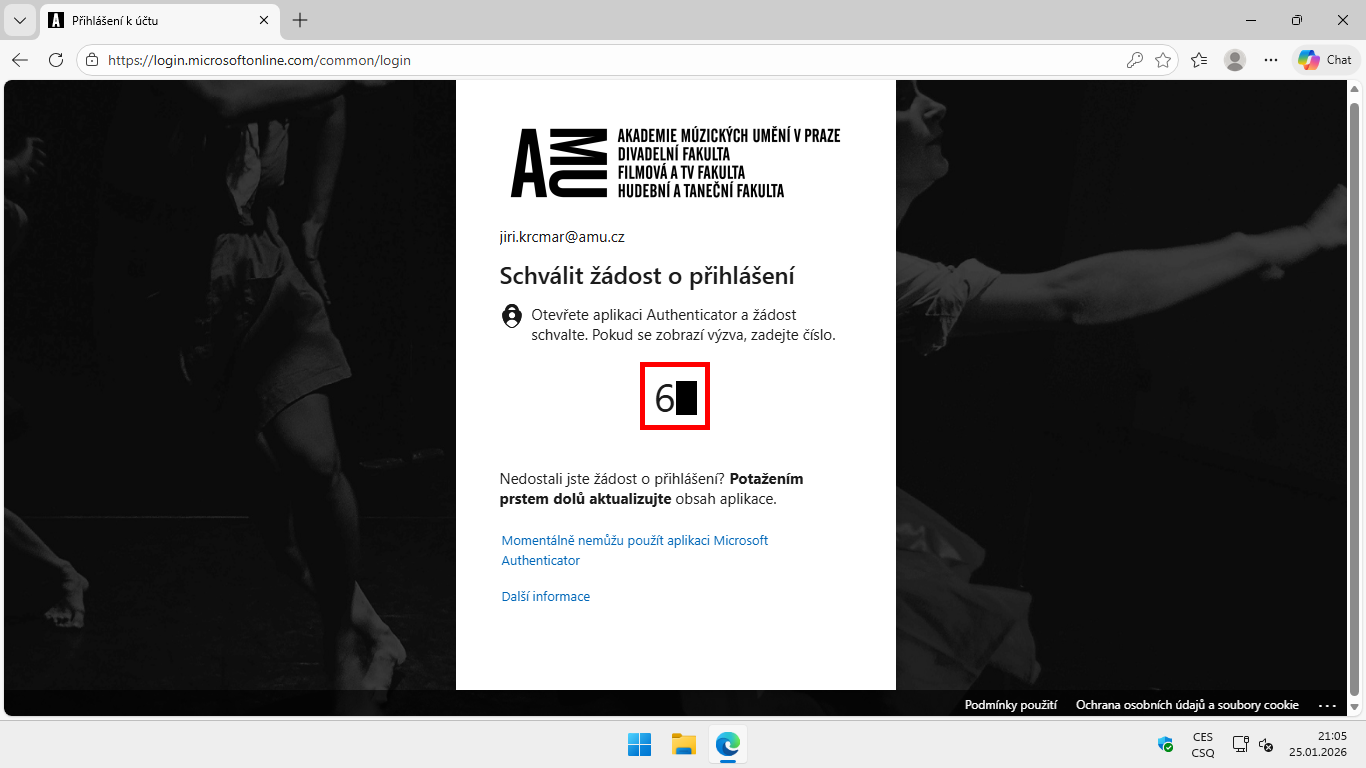
- Verify using your current verification method.
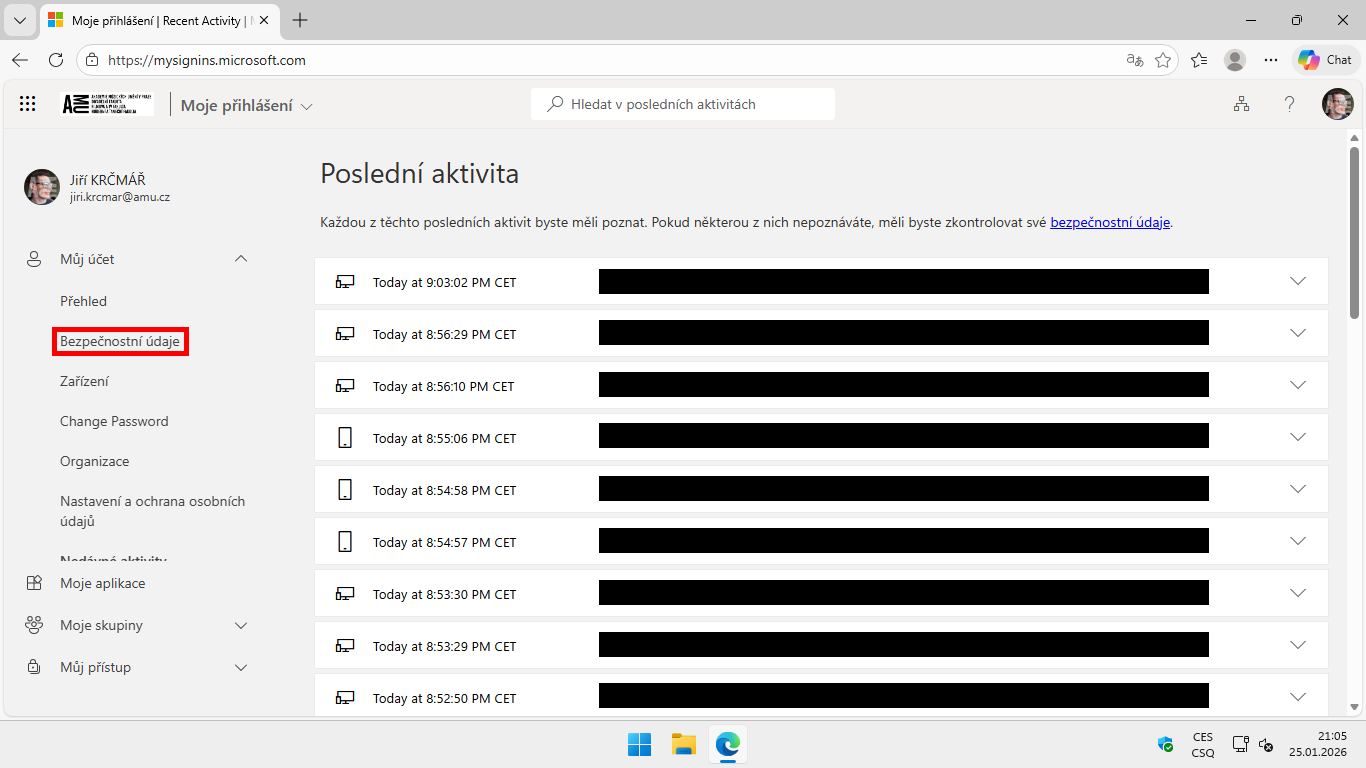
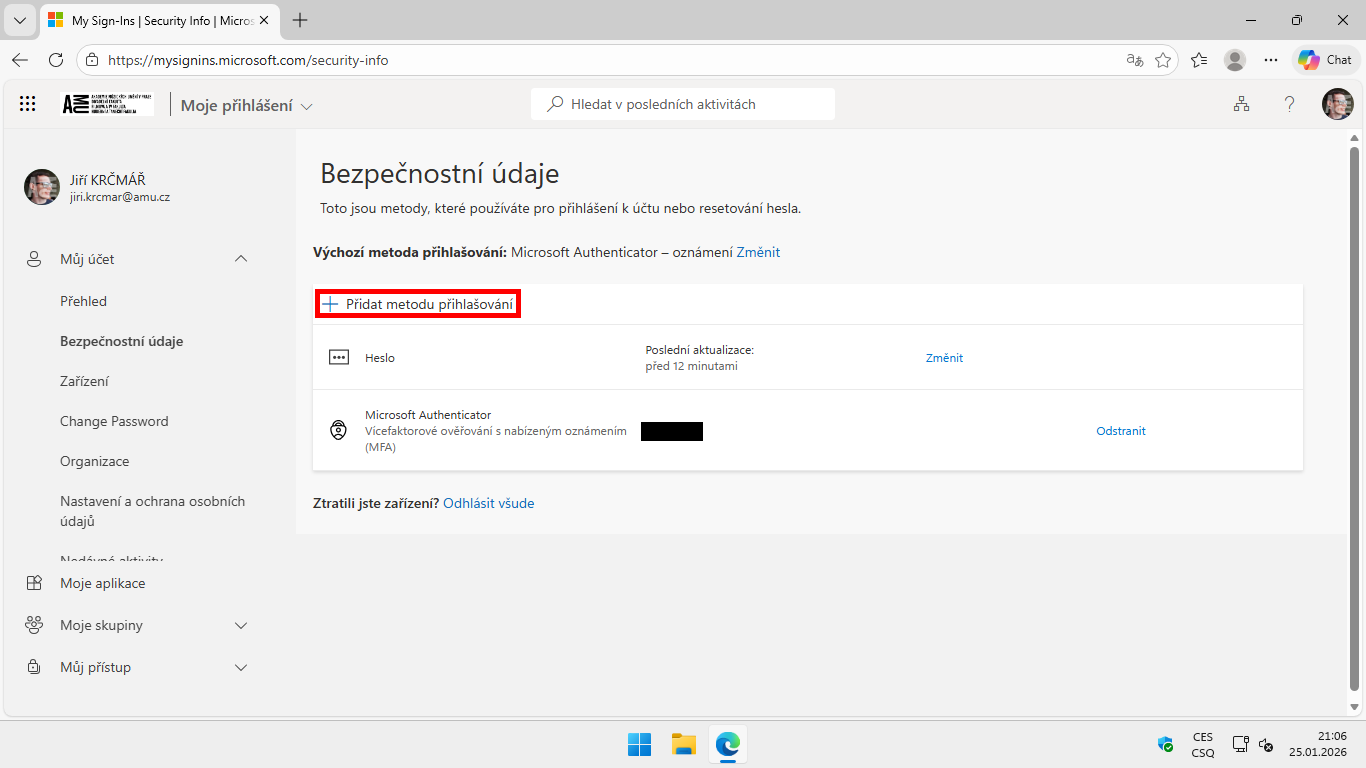
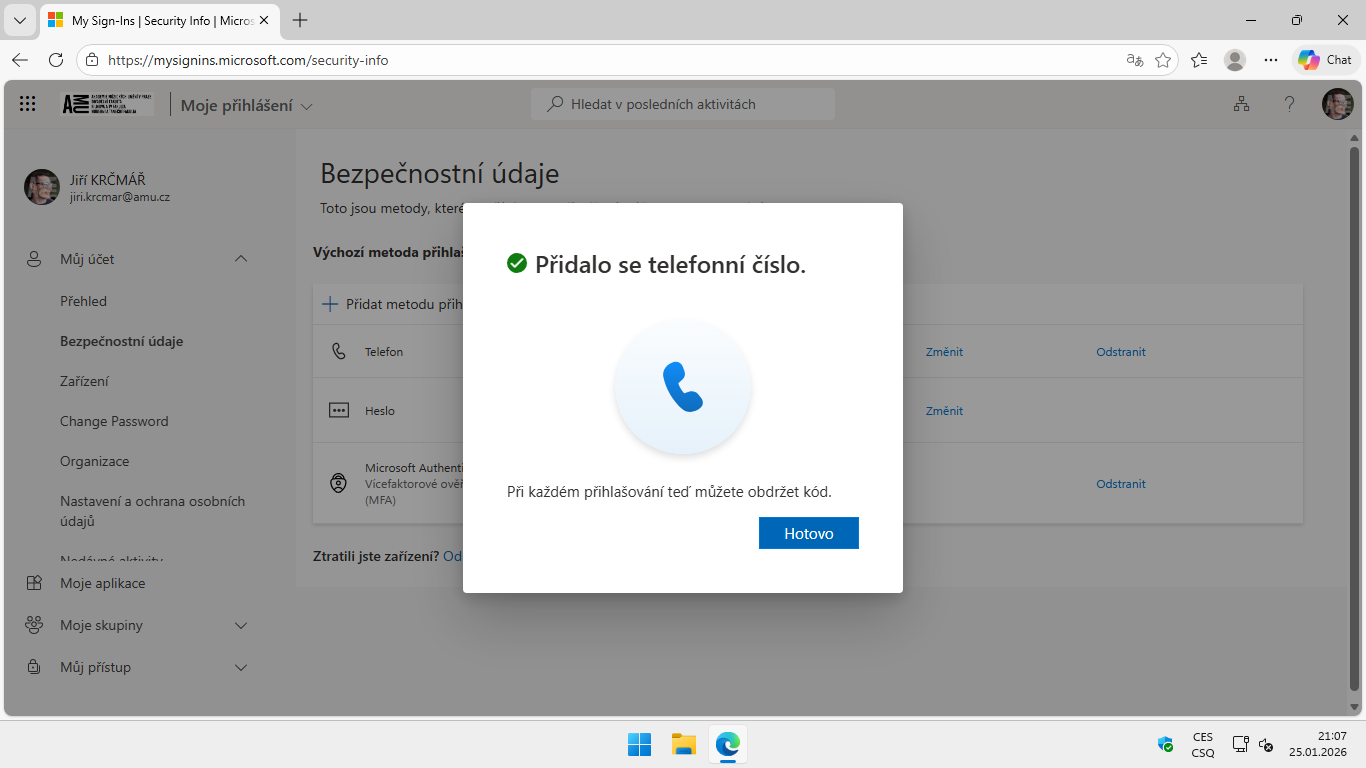
- On the left, select Security info.
- Click +Add sign-in method.
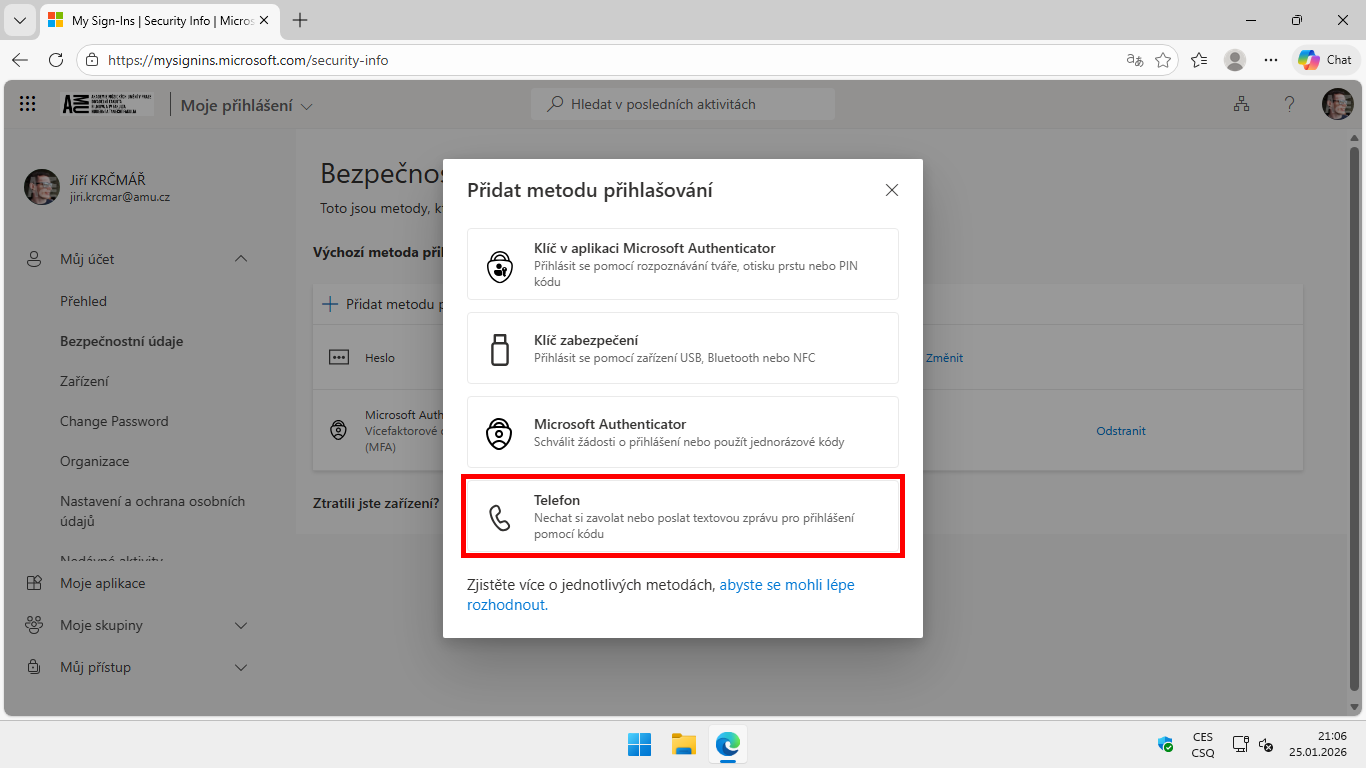
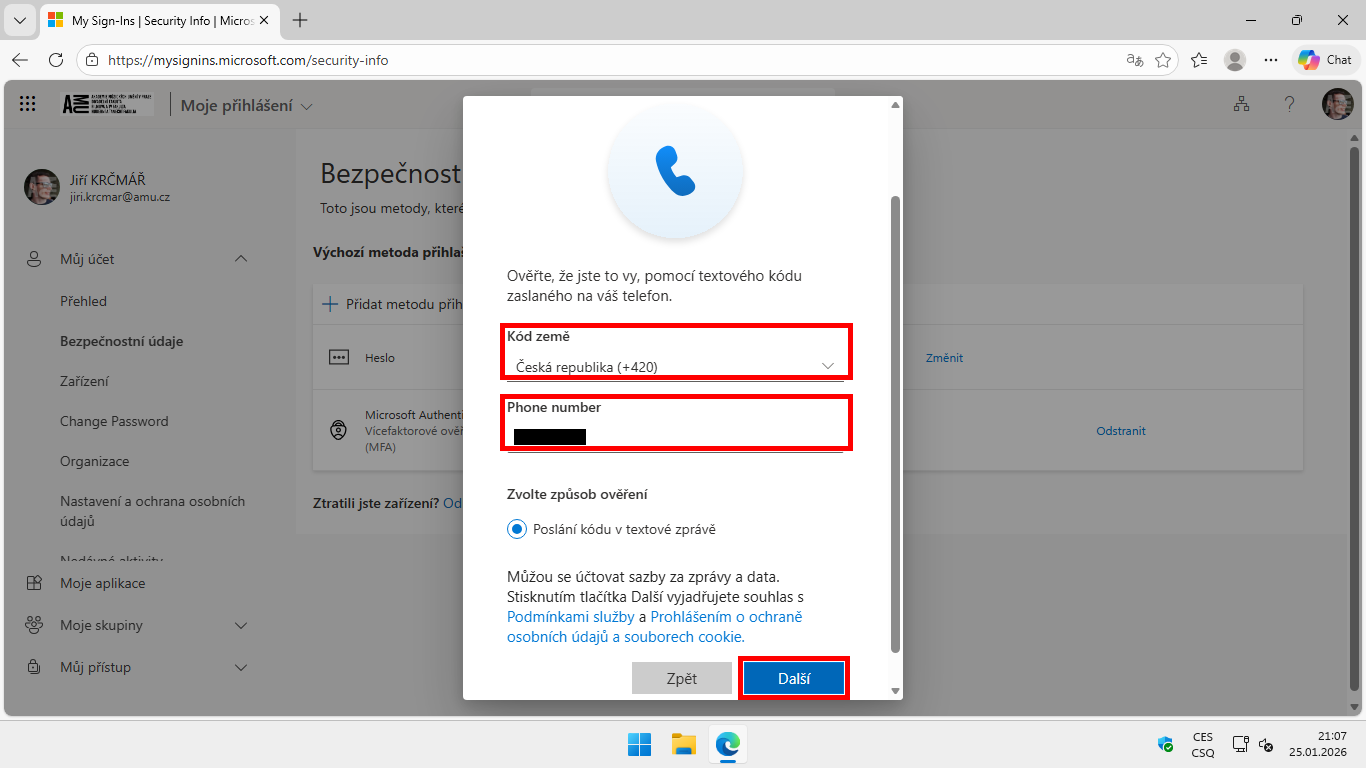
- Select the type of new method you want to add.
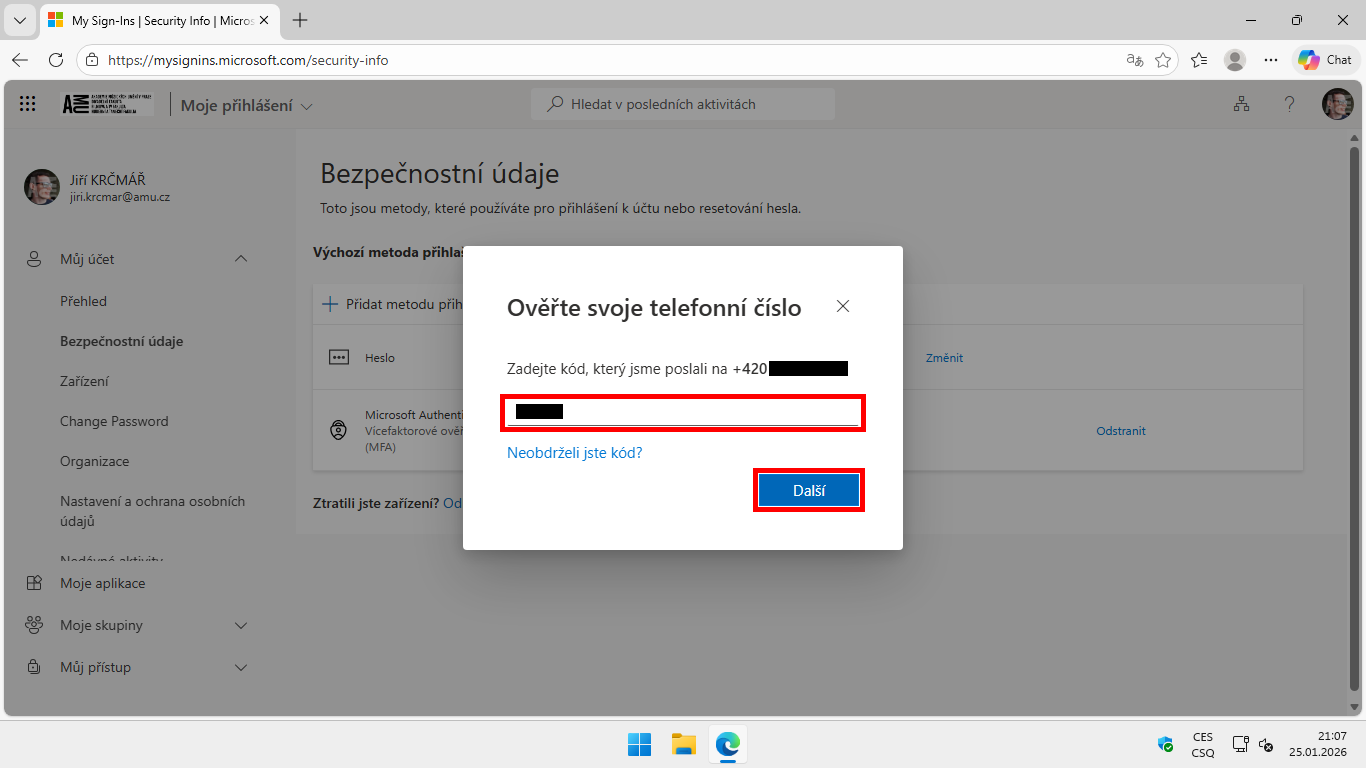
- Follow the system instructions to add and verify the new method.
Picture instructions
Author: Jiří Krčmář / 20.02.2026
Revision: Jiří Krčmář / 20.02.2026